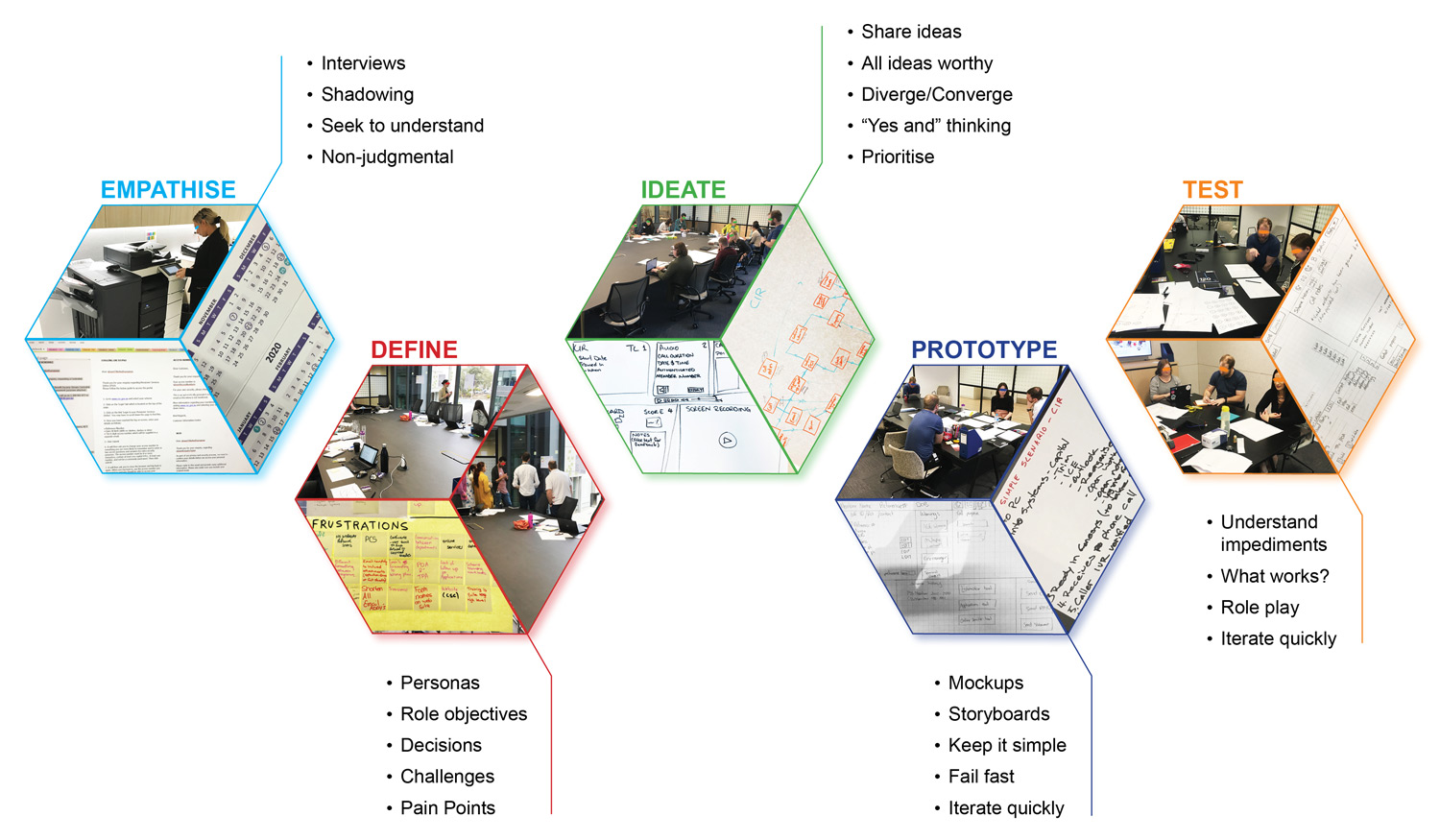



The following document was presented to stakeholders and managers at the Commonwealth Superannuation Corporation (CSC) to introduce the user-centred design process applied during this project’s development. Therefore, it was written for that audience.
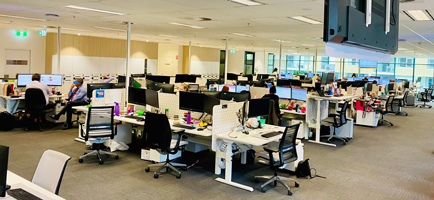
The Customer Contact Centre (CCC) is responsible for answering telephone enquiries and emails from scheme, contributor, persevered, and pensioner customers. To deliver this service to customers, it requires gathering and consolidating information from a number of disparate CSC sources.
CSC has committed to improving its customer experience and becoming more member-centric.
As part of this process, DWS will provide the necessary tools to the Customer Contact Centre (CCC) to improve its interaction with CSC customers.
One of those tools is the user experience analysis of the different users in the CCC. At this stage, the focus was on the Customer Information Representative (CIR).
The primary focus of this user shall help the creation of a baseline system that will allow them to view the customer’s profile in a single display without the need to login (separately) on 10 different systems.
The processes explained below were taken to understand and discover possible solutions for users. These processes can vary according to projects and are iterative in nature.
These processes respected the user-centred design methodology because the users were involved in the design process from the beginning.
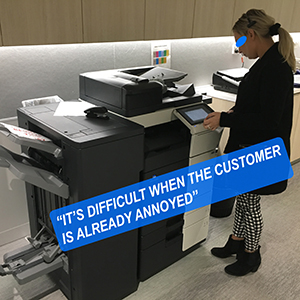
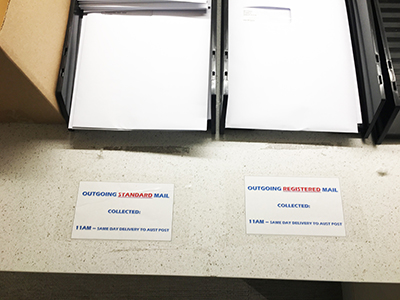
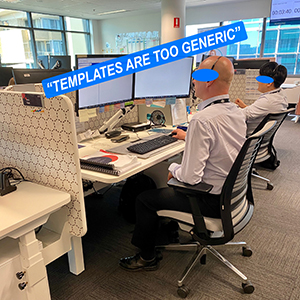
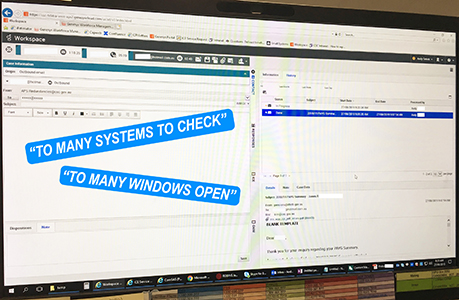
In order to create something that will solve user’s problems while also accomplishing their needs, we need to put ourselves in the user’s shoes. One tool to do so it’s contextual enquiry.
The contextual enquiry methodology allows the team to gather quantitative and qualitative data. Understanding this data contributes in the creation of possible solutions or improvements to tasks performed by the user.
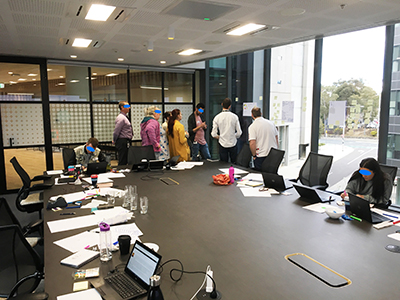
There were contextual enquiries performed on two CIR members, listening to the conversation that the users were having with the customers followed by some questions to the user.
Below there are some samples of the data collected:
In order to define the goals, objectives, and strategy for a product, it’s a good practice to start understanding who the target audience is; this also enforces emphasising with the user.
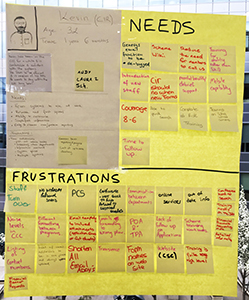
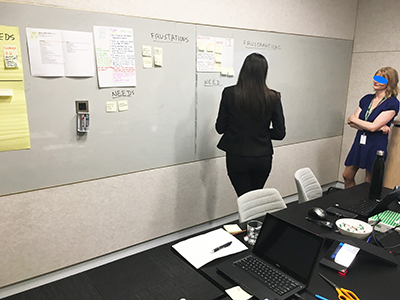
CCC participated in workshops to develop four personas: Assist, Quality, Team Leader, and CIR.
These personas were based on the users who would be utilising the system.
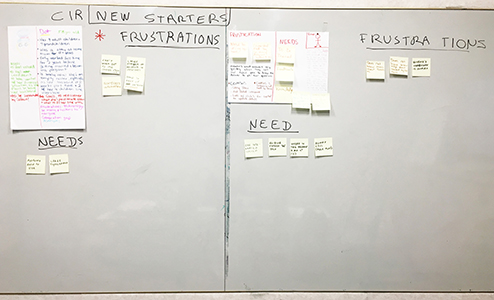
Originally, there was only one persona for the CIR. The team decided that in order to better understand this user, there was the need to explore ‘New starters’ as personas:
The team collected data about their frustrations and needs regarding the systems they could utilise in the CCC environment. This data was considered while creating the prototype.
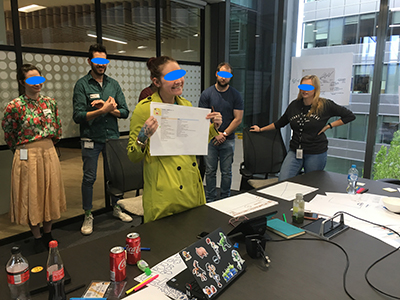
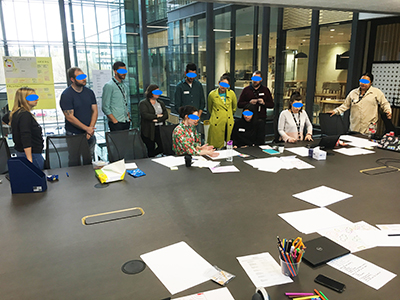
Ideation is a creative process where participants generate ideas in sessions (e.g., brainstorming: all ideas are worthy). Participants gather with open minds to produce as many ideas as they can in a facilitated, judgement-free environment.
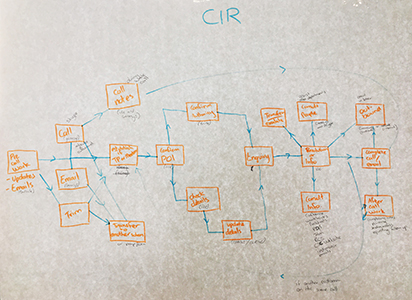
About 10 people from CCC participated in the elaboration of user flows (top left image), these deliverables are the visualisation of the complete path that users follow across the whole solution.
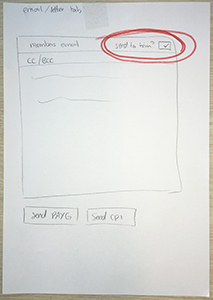
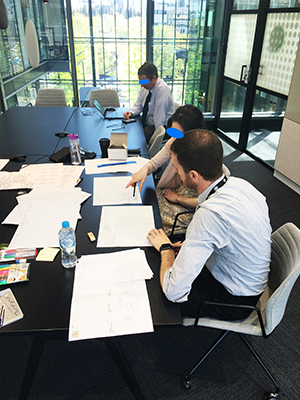
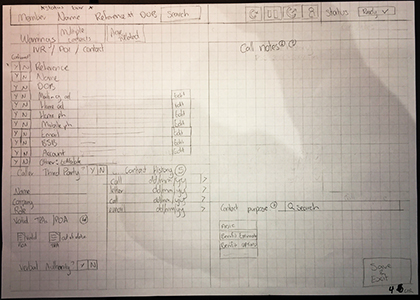
After the user flows exercise, the team drew (on paper) wireframes.
A wireframe is a visual representation of a user interface, stripped of any visual design or branding elements. It is used to define the hierarchy of items on a screen and communicate what the items on that page should be based on user needs.
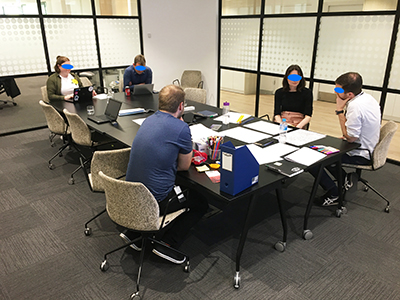
Prototyping is essential for resolving usability issues before launch. It can also reveal areas that need improvement. Once a draft of the product’s idea is in the hands of real users, it will be visible how they would use the product. Then iterations from the feedback received would improve the product further.
A prototype can be almost anything, from a series of sketches representing different screens to a pixel-perfect pre launch interface.
In the early stages of design: paper prototyping works best as user interfaces can be rapidly designed, simulated, and tested.
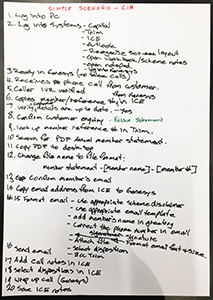
As a continuation of the brainstorming process from wireframes: two CIR members helped with the creation of a paper prototype. The first step was to create actual scenarios. These artefacts explained the steps that the user needed to do in order to achieve a task. Originally, the team created a complex scenario, but due to the time constraints of the project, it was decided to create a simple one.
The simple scenario (which could be also called: ‘user flow’) helped the team to draw screens of what the user would need to see in order to perform that scenario’s tasks.
The paper prototype was improved according to the feedback received in the testing phase. This laid the foundations for a clickable prototype; this prototype was of a low - fidelity, so users wouldn’t get too distracted by its presentation, rather for usability purposes only.
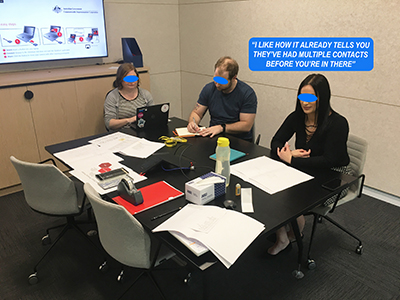
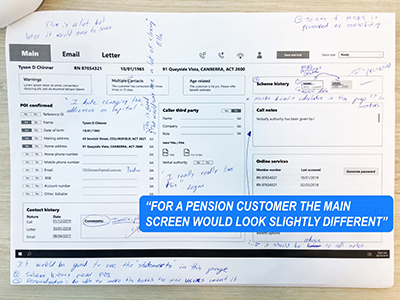
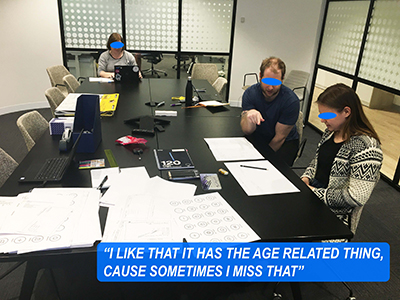
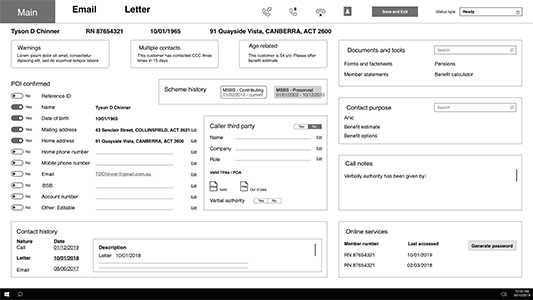
The prototypes were tested with three different users for each prototype (paper and clickable).
As best practice and to gather richer and unbiased data: the team tested both prototypes (paper and clickable) with users who were not involved in the beginning of the design process nor in the testing of the paper prototype.
The data collected (by note taking and video) in the testing phase proved of great value in a quantitative and qualitative manner. The feedback given by each user allowed the improvement of each prototype iteratively.
Quantitative: One sign process plus the main/email screens were represented with the artefacts needed for the user to perform the required task; this minimised the number of clicks as well as the need to open different windows at the same time (saving space on the screen).
Qualitative: Through observation as well as the requirement for users to ‘think out loud’, the team was able to collect data about the ‘why’ and ‘how’. Users’ commentaries helped to better understand what was working and what was not and gather suggestions to improve the prototype.
The design process for DWS was conducted entirely with the users. After the contextual enquiries and questionnaires, CCC members helped in the creation of personas, wireframes, and prototypes, which were also tested by them.
Due to the fact that this process was developed with them, the data collected through the different processes are very accurate of what the CIR user needs in order to perform their tasks.
Once a high fidelity product is online, it is important that the business facilitates a way of receiving feedback from the users as this would contribute to the improvement of the system.
There are opportunities to test further because the low fidelity prototype was not tested to its fullest capacity; there is a document already in place which describes a worst case scenario for a user, this document could contribute to analyse what has been created by the users and ways (if any) of improvement.
The prototype’s content (artefacts) can be confirmed through the analysis of the worst case scenario.
Once the content is finalised, card sorting could help define if Information Architecture (IA) is heading in the right direction and to check the position of the display widgets.
In a card sorting session, participants organise topics into categories that make sense to them, and they may also help you label these groups. To conduct a card sort, you can use actual cards, pieces of paper, or one of several online card-sorting software tools.
To make sure that the visual and written communication tools in the system are communicating correctly: Icons, colours, and language should be also checked through usability testing.
Note: As part of the recommendations, I also supplied a link to the folder where further information could be found, including the artefacts developed during this centred design process.
The following document was presented to stakeholders and managers at the Commonwealth Superannuation Corporation (CSC) to introduce the user-centred design process applied during this project’s development. Therefore, it was written for that audience.
Commonwealth Superannuation Corporation (CSC) was shifting into a connected service culture through a large restructuring programme called Transformation.
The intention of this new operating model was to take CSC into a more customer-centric organisation.
The Customer Relationship Management (CRM) project was part of the Transformation programme.
The following document was presented (originally in PowerPoint) to team members, stakeholders and managers from different departments of the company.
The intention was to take this opportunity to present UX processes to the organisation and to show how they bring value to projects.
This presentation was conducted with the help of Chris T. (Business SME), who helped me with a previous project called Digital Workspaces (DWS).
Some of the artefacts developed during DWS (Personas and User Flows) were re-utilised and revalidated for this project (CRM).
Due to cost and time constraints, these processes went as far as problem statements; however, the user journeys proved to be of great value for the different Customer Contact Centre teams.
This is a life document and the following presentation shows a User-Centred Design process conducted by Chris T., Carlos Solarte and some of the Engagement Platform team members with the help of the Customer Operations team.
With a transformation of this size, it’s important that we understand what our starting position is. By having a detailed understanding and comprehensive documentation of what the organisation is currently doing, we are enabling ourselves to identify where the opportunities are.
To start that process, we conducted an analysis on what’s usually happening in a customer's life when they contact us. (from the monthly report from the workforce team): Chris looked across email and phone channels of 18 months (from September 2019 to February 2021). This analysis reinforced that customers typically contact us when they are in financial hardship, looking at medical retirement, or are approaching age of retirement.
Armed with a view of what events lead our customers to engage with us, we began to develop an understanding of how we support the customers through those engagements, as well as how our technology supports the staff supporting those customers.
In developing this understanding, we recognised that we are not the experts in what the current state actually is. Therefore, we engaged those experts to capture that understanding.
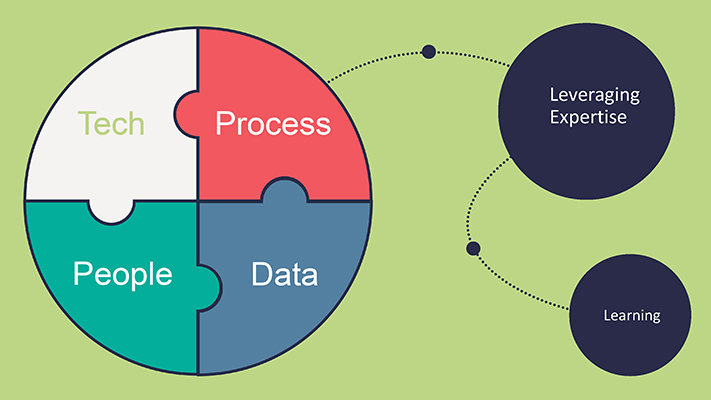
As we know, there are four key channels to this Transformation: People, Process, Technology and Data.
We explored two of these channels – Technology and Process.
So, how have we leveraged the experts? ...What have we done?
We started with...
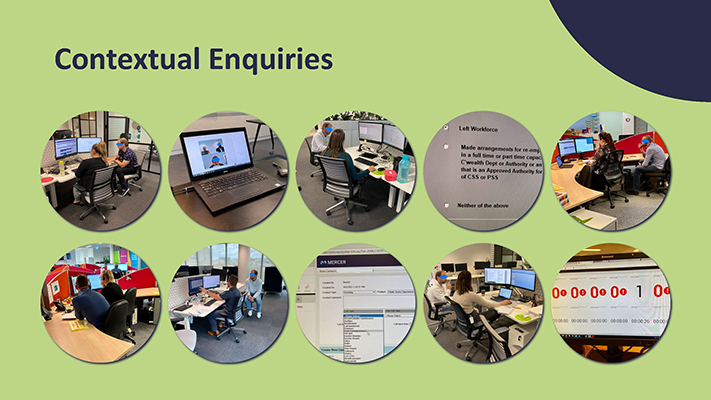
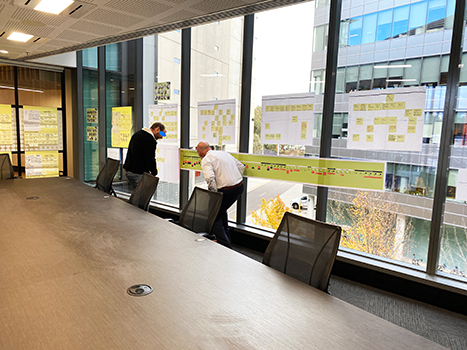
After initial conversations with managers, we started by sitting with the users in the customer-facing business units and observing them doing their day to day tasks.
By sitting and observing, we were able to pick up on things that may have been overlooked if we simply asked for an overview. These are typically things that the staff or users do subconsciously and wouldn’t think to talk about, but may offer some of the biggest opportunities.
We conducted contextual enquiries with 10 customer-facing teams, including 3 teams at Mercer! Some early observations were around the number of systems each team used, as well as how one system may be used in different ways by different teams.
One of the teams we sat with was Loss and Hardship support...
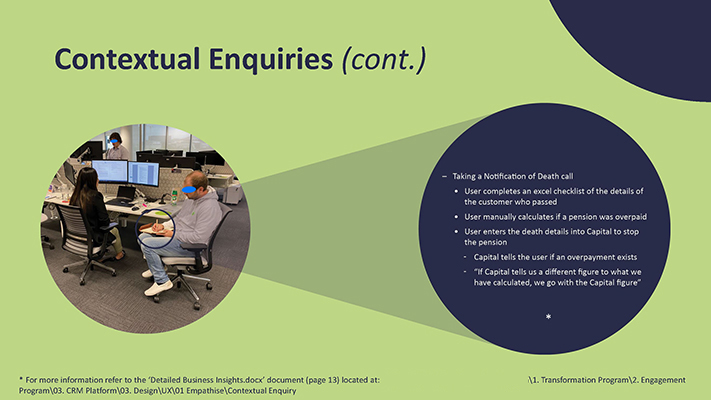
Some of the realisations while sitting with the Loss and Hardship Support Team (LHS) were:
We also observed some potential opportunities when the users take a call which is to advise CSC of the passing of one of our customers (see above slide).
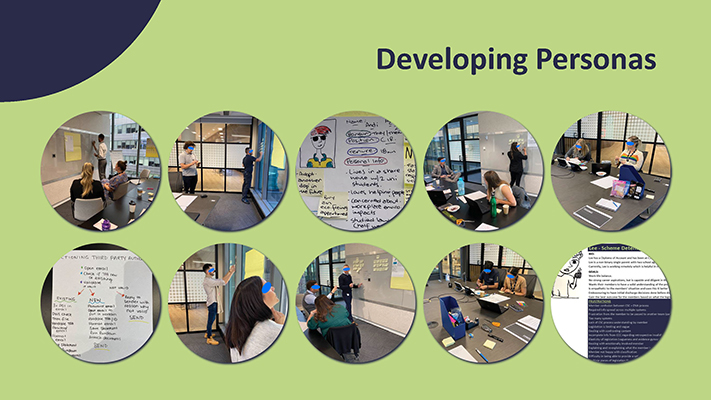
Having observed users in most customer-facing business units, it was important that we captured the needs, frustrations and key characteristics of users in those business units in a way that can be easily shared. This is vital for the Program and broader Customer Ops to be able to empathise with the internal users of our current system and understand how to best support them with any changes implemented.
To do that, we coordinated workshops with several business units and supported users from those teams while they created personas.
We have supported 10 teams across CSC in creating personas for their teams. It’s important to differentiate here that we have been quite clear with each team that these are their artefacts, which increases the buy-in and sense of ownership of the participants.
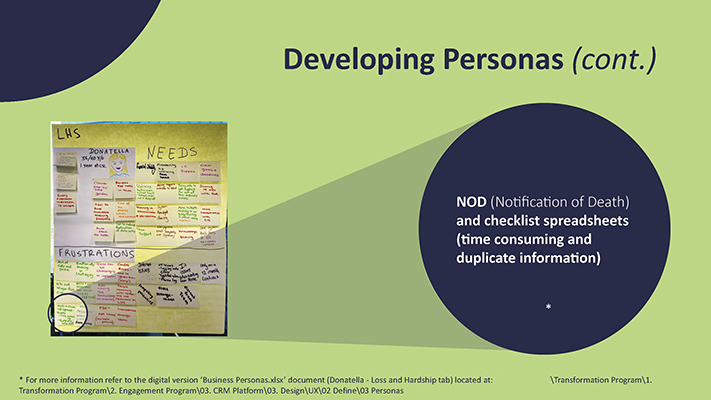
Remembering back to our contextual enquiries, we talked about some of the opportunities that we identified when sitting with LHS.
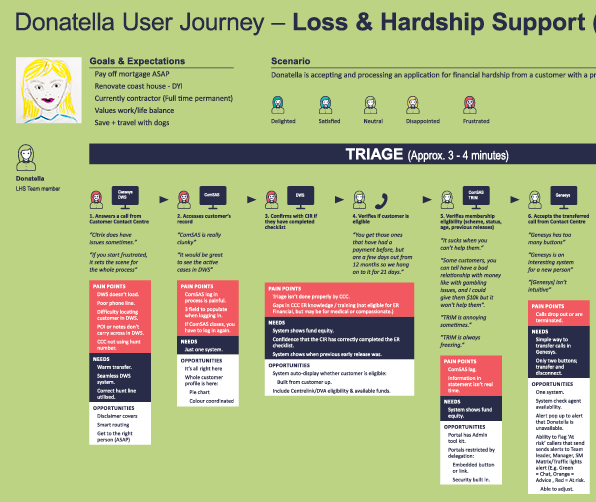
In developing “Donatella”, it was interesting to see how our observations were validated by the team’s listed frustrations around the Notification of Death (NOD) duplication.
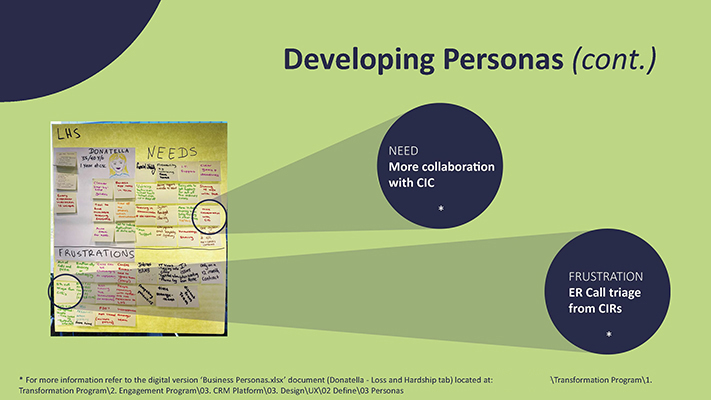
The team also highlighted some insights for Donatella specific to Early Release – one of those three key topics that drive customer engagement. As you can see, Donatella is frustrated by the quality of the triage being done by the Customer Contact Centre (CCC) and Donatella needs more collaboration with the Contact Centre.
So you can already see that this process has highlighted some potential opportunities with the duplicated NOD data entry as well as in how Early Release (ER) calls are managed. Interestingly, the need identified by the users to address the frustration isn’t a technology solution but a communication solution.
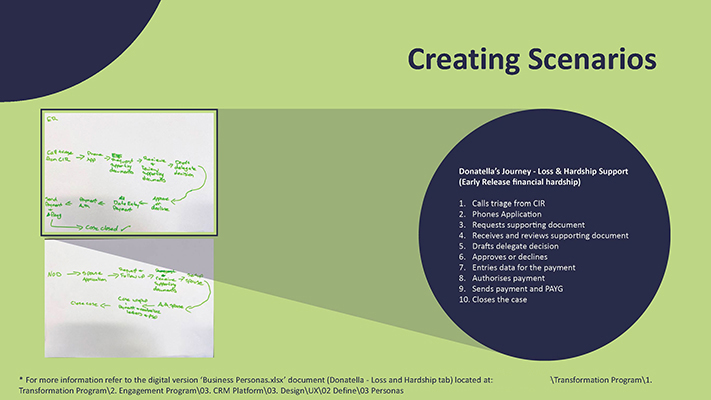
A User Flow is the path taken by a user to complete a task. Think of it as “mapping a process”. The user flow takes a user from their entry point through a set of steps towards a successful outcome and final action, such as closing a case.
While conducting the personas workshops, we asked the users to create a baseline scenario (the most common in their day to day interaction with customers). The intention with these scenarios was to help them, or other users, develop the next artefact: user journeys.
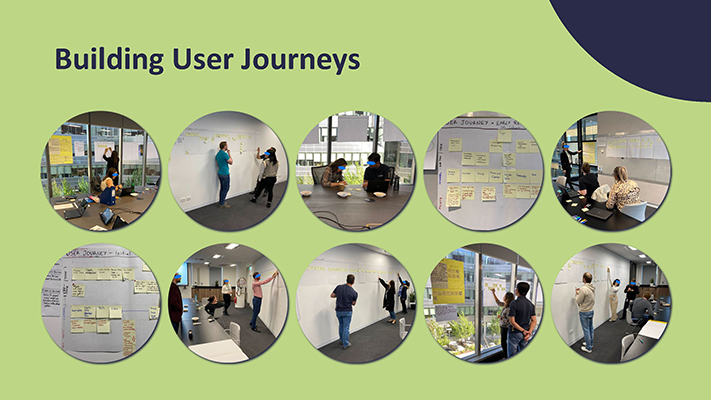
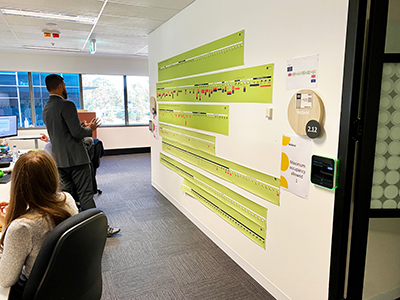
After each team had created their own persona and scenarios, we began mapping the tasks that those personas would complete to achieve a goal.
The scenarios created within the personas’ workshop helped each team to start mapping one of the common tasks that their newly created personas would complete on a day to day basis.
This map or User Journey, provides granular insights into each step of the process, which enables the programme and Customer Ops leadership to focus on which parts of the process cause the most friction while simultaneously learning and leveraging those steps that may already work seamlessly.
To date, we have mapped all tasks for 10 User Journeys. Donatella’s journey has been developed the furthest, containing: Task, Channels, Emotions, Thoughts, Pain points, Needs and half of the Opportunities.
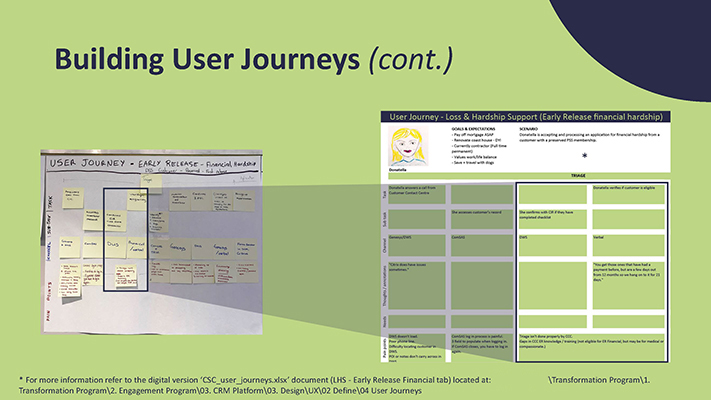
If we return to LHS, and the User Journey of Donatella, the team captured what is involved in assessing and paying an early release payment. As mentioned earlier, this is a very granular artefact – Donatella’s journey requires 146 steps!
For each step, or task, the team also captured which channel (or system) is required for that task and what Donatella’s pain points may be for that particular task. This brings in a lot of the frustrations captured in building the persona and places them where they often occur – further helping the Program and Customer Ops to deliver targeted solutions. This process also helps users think of additional Needs or Frustrations that they may not have thought of when the Persona was built initially.
The LHS team again validated the frustration for Donatella regarding Customer Contact Centre (CCC) triage.
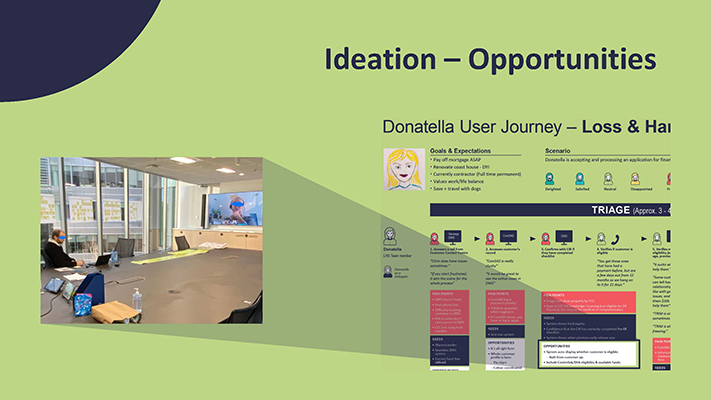
We are currently rolling these user journeys up into the overarching customer journey for the life events that typically cause a customer to engage with us that we discussed earlier: medical retirement, age retirement and financial hardship
We are conducting workshops with the respective senior managers from business to discuss how business aim to resolve some of those pain points that their teams have identified. We will also seek priorities from those senior managers to identify which of the pain points or solutions we should act on first.
These workshops will involve representatives from the various Transformation streams to ensure that ownership for addressing those opportunities can be given and realistic expectations can be provided in real time.
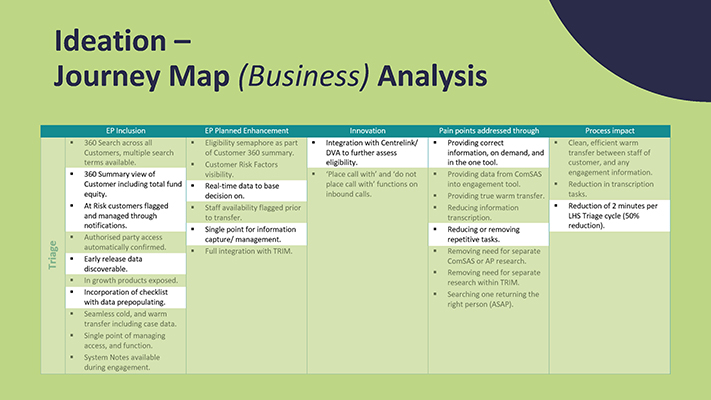
After collecting the opportunities data with a stakeholder and a senior manager, one of our team members (Martyn H.) was able to produce a business analysis for Donatella’s user journey.
The Journey Mapping ensures that all business requirements and Engagement Platform (EP) deliverables are linked and traceable to an actual customer journey. In other words, traceability ensures that each requirement has a business-related purpose, meets a customer’s journey, and that no requirement is useless or unnecessary.
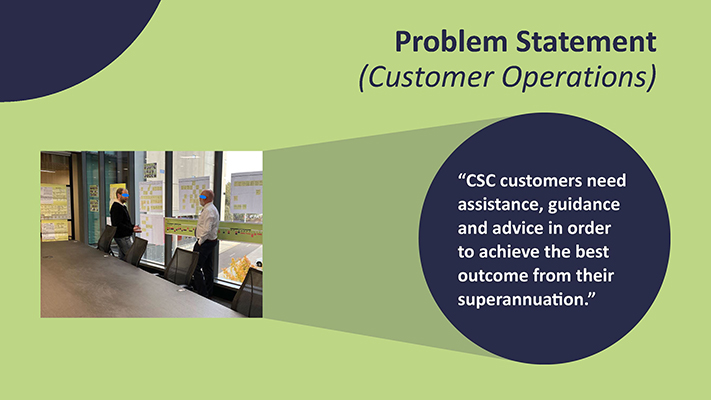
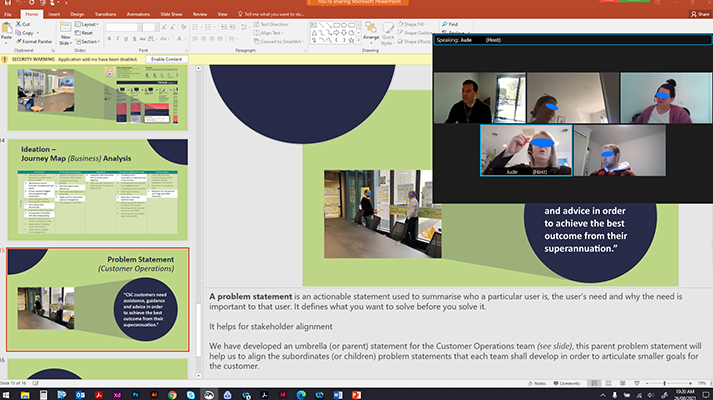
A problem statement is an actionable statement used to summarise who a particular user is, the user’s need and why the need is important to that user. It defines what you want to solve before you solve it.
This artefact helps with stakeholder alignment.
We have developed an umbrella (or parent) statement for the Customer Operations team (see above slide). This parent problem statement will help us to align the subordinates (or children) problem statements that each team shall develop in order to articulate smaller goals for the customer.
From the Transformation perspective, these artefacts are already helping other teams like Administration Platform, People and Brain Trust, as well as other parts of the organisation like: Customer Support and Claims Operations team in their engagement with DVA and Defence.
We need to keep engaging with senior managers from business to discuss the best approach to improve and propose a more efficient future state for those processes.
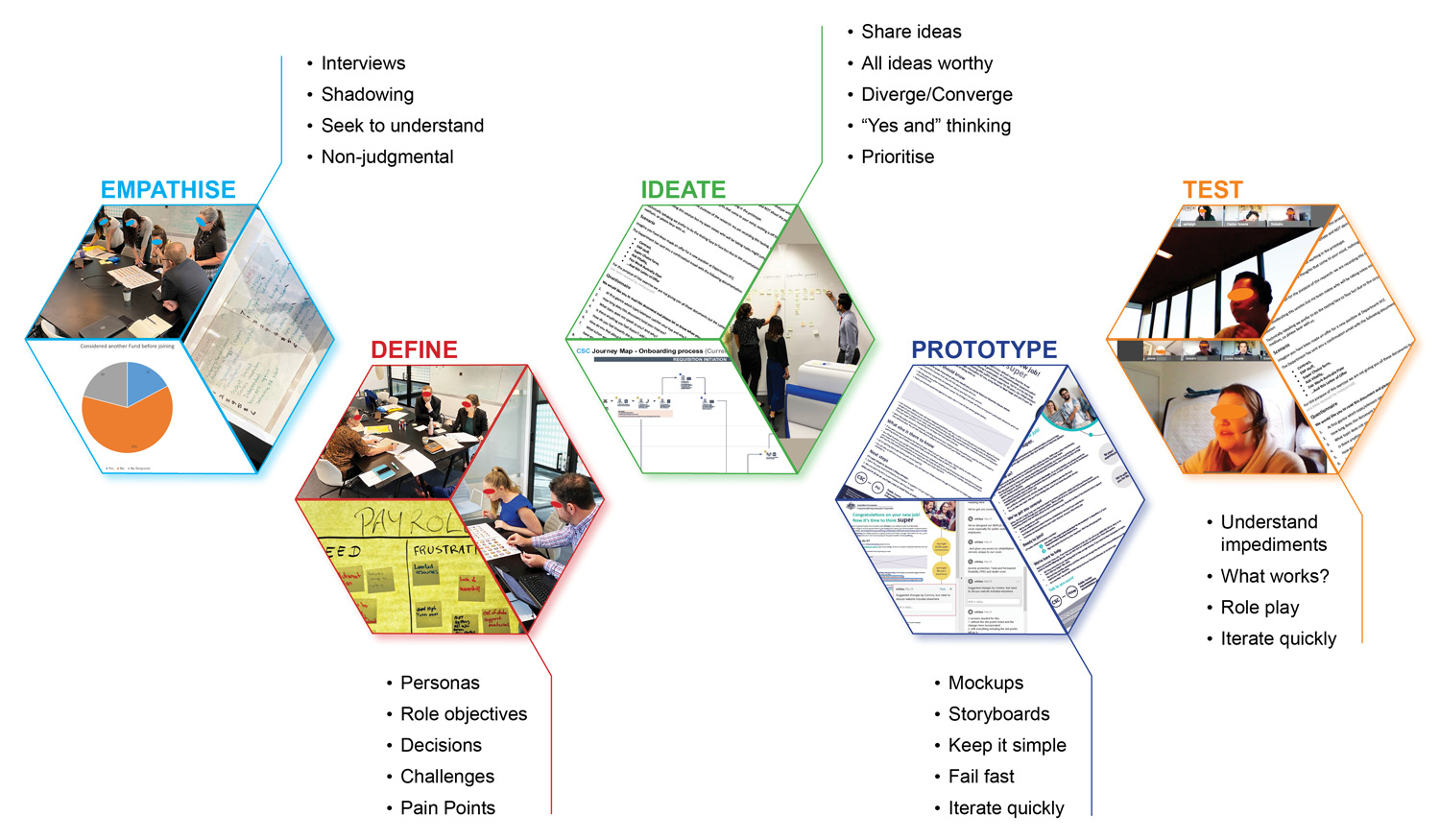
The following document was presented to stakeholders and managers at the Commonwealth Superannuation Corporation (CSC) to introduce the user-centred design process applied during this project’s development. Therefore, it was written for that audience.
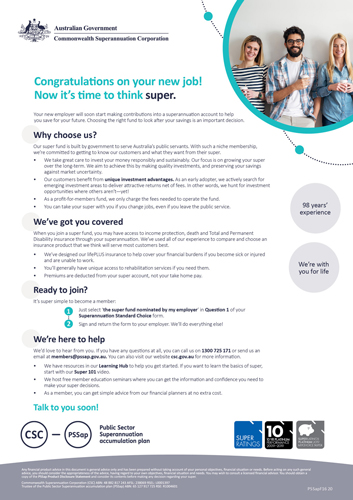
As part of the onboarding process, employers provide a pack of documents to the candidate. These packs might contain: contract, payroll, security, employee well-being, and other documentation.
The Commonwealth Superannuation Corporation (CSC) letter of offer (PDF format) is one of those documents that the candidate receives. The letter is CSC’s initial informative/advertising piece which aims to assure potential customers that CSC (the default superannuation fund) is the right superannuation provider for them. As such there is a strong need for this letter to be current, relevant and digestible as it’s critical to CSC capturing new and returning customers.
CSC has committed to improving its customer experience and becoming more member-centric.
The aim of the letter is to provide (in an easy way) a well informed context about the different superannuation schemes that CSC offers.
For the letter of offer, CSC took an user centred design approach to better understand what the users need from this kind of document.
The processes explained below respected the user centred design methodology because users were involved in the design process from the beginning.
These processes can vary according to projects and are iterative in nature.
Empathy is the ability to fully understand, mirror, then share another person’s expressions, needs, and motivations.
What the team was trying to do in this phase of the user centred design process was to understand not only our users’ immediate frustrations but also their hopes, fears, abilities, limitations, reasoning, and goals.
As part of this phase, the team analysed collected data from the voice of customer. Even though it was realised that this data was elaborated for another purpose, the team managed to find some valuable insights from it:
The team also collected the employers feedback given to the employer relationship managers; this data was always taken into consideration during the whole process of the product.
In order to define the goals, objectives, and strategy for a product, it’s a good practice to start understanding who the target audience is; this also enforces emphasising with the user.
The letter of offer has two main users: the employer and the candidate.
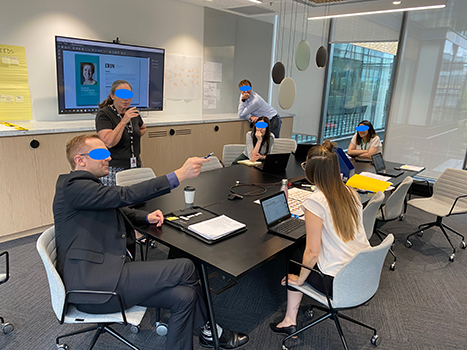
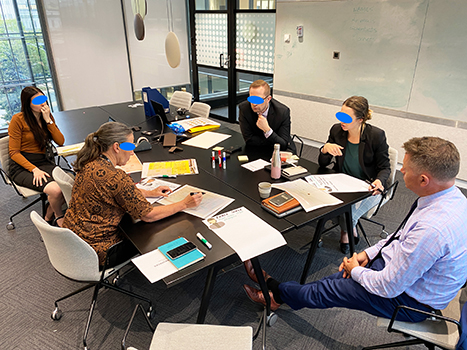
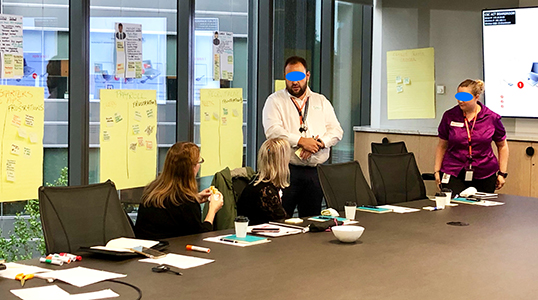
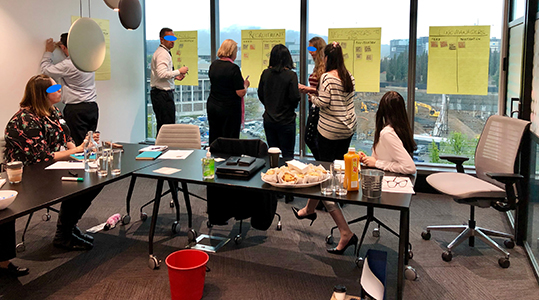
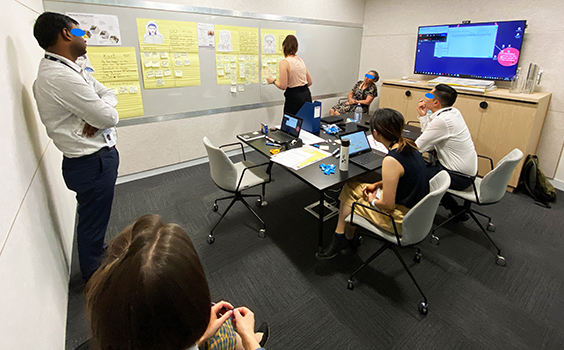
CSC participated in workshops with several Commonwealth government departments in order to gather information about their onboarding process. This iteration was done early during the project but due to the pandemic (Covid-19 virus), the team had to modify and adapt their approach regarding this phase (online interactions instead).
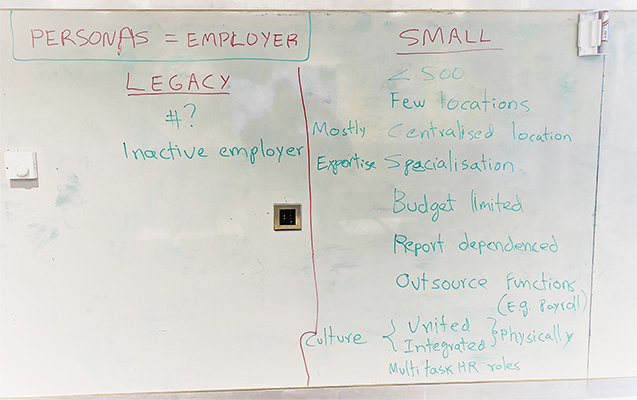
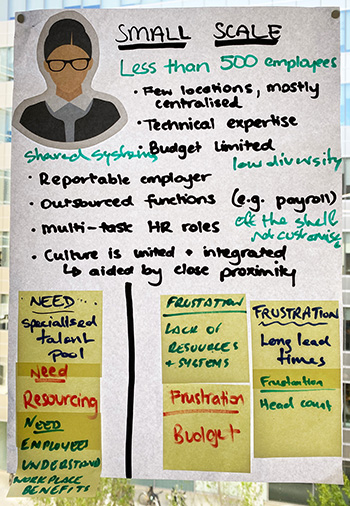
Still, the team was able to collect important information regarding the needs and frustrations (pain points) that employers experience during the onboarding process.
From the workshops with employers, CSC was able to find the best strategies to tackle the onboarding process by suggesting which internal departments are influenced by it.
Below, there are some samples of the data collected through the workshops with employers. This helped CSC to identify best strategies to tackle its own onboarding process by suggesting which internal departments were influenced by it.
Due to restrictions from the pandemic: it was decided that CSC should work internally first in order to create a baseline for the letter of offer.
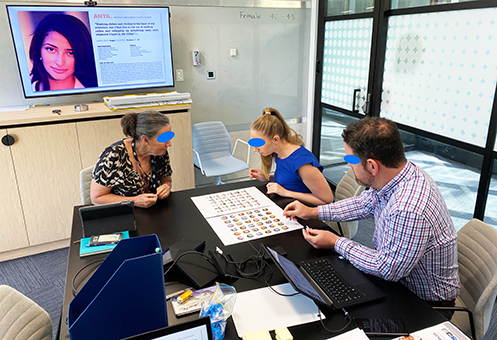
As part of the second user group ‘candidate’: the team engaged with actual users through workshops (internally) to create personas, the participants were part of (recent) onboarding process at CSC.
The participants helped the team build a better understanding of what the user goes through in the onboarding process.
The following are the personas created:
The team collected data about their needs and frustrations while going through the onboarding process. (This data was considered while creating the prototype).
After these findings and as part of the analysis of the data, the team came to the conclusion that: ‘people wanted the process to be EASY, while being well INFORMED all while receiving a COMPETITIVE strong PERFORMING FINANCIAL product.
The team utilised a CSC recruitment process flow as a baseline; this document was iterated upon with the users involved in the onboarding process, the same process was applied with the candidate user cohort.
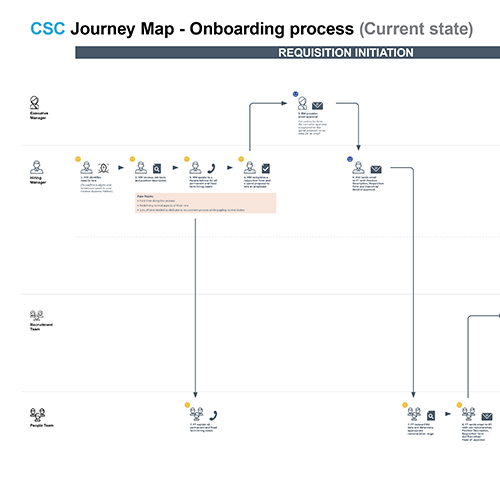
The combination of the employer and candidate user flows allowed the team to develop a (current state) user journey map.
Journey mapping is a process that provides a holistic view of the users experience by uncovering moments of both frustration and delight throughout a series of interactions.
Through iterations with the organisation’s stakeholders, the team managed to polish the user journey map into a more comprehensive artefact.
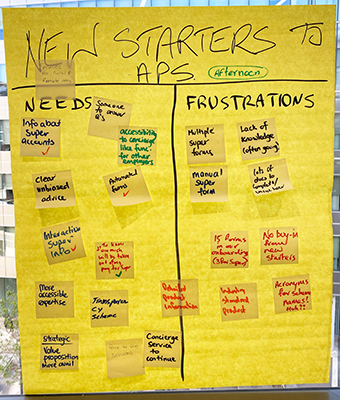
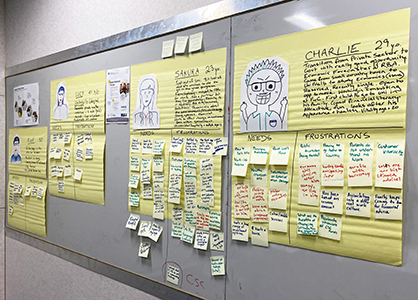
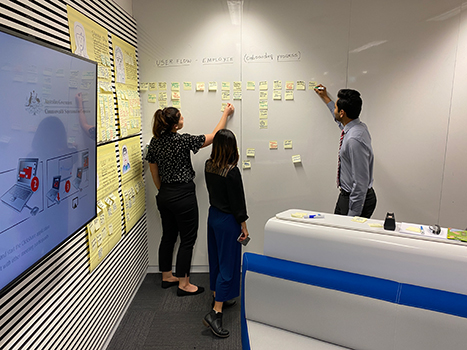
Ideation is a creative process where participants generate ideas in sessions (e.g., brainstorming: all ideas are worthy). Participants gather with open minds to produce as many ideas as they can in a facilitated, judgement-free environment.
In this process, every artefact that was developed was also checked by the respective subject matter experts (SME). This to ensure that the data collected was the most accurate possible.
Once artefacts like: (employer) roles pain points, candidate’s personas and user Journey map (employer and candidate) were ready, the team started creating the content for the letter of offer.
The main focus of this project was to develop a letter of offer for PSSap (Public Sector Superannuation accumulation plan) members.
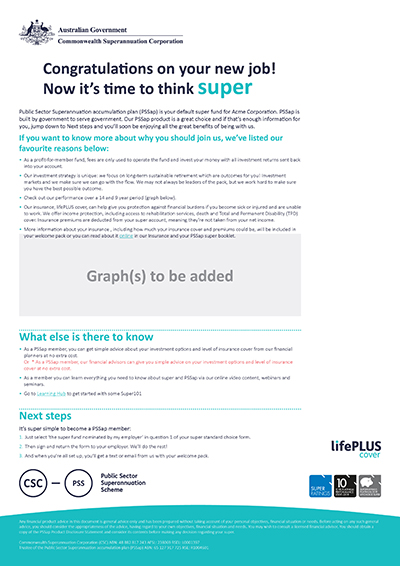
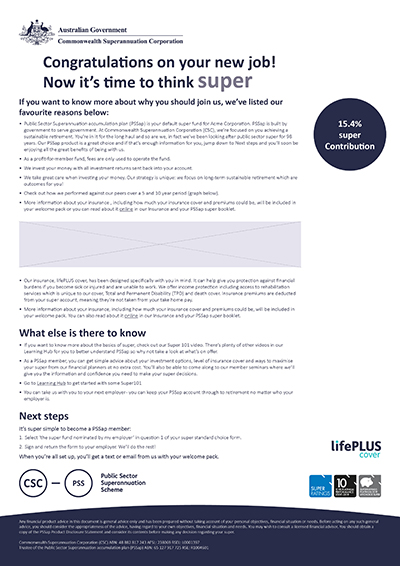
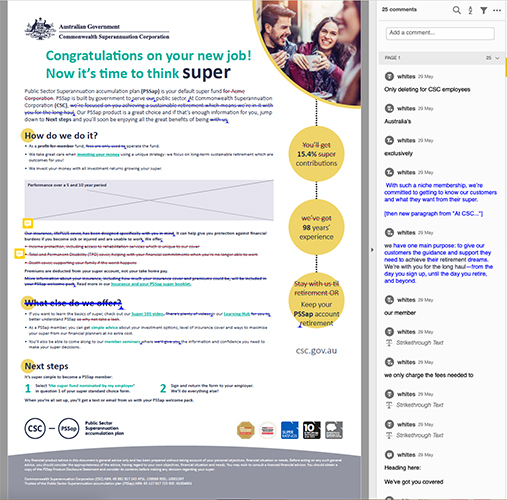
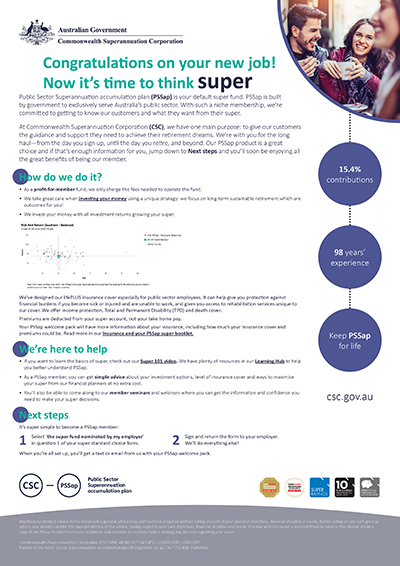
A prototype is an early sample, model, or release of a product built to test a concept or process. It is a term used in a variety of contexts, including semantics, design, electronics, and software programming.
Prototyping is essential for resolving usability issues before launch. It can also reveal areas that need improvement. Once a draft of the product’s idea is in the hands of real users, it will be visible of how they want to use the product. Then iterations from the feedback received would improve the product further.
After the ideation, the team designed a low fidelity prototype in order to test its content, the design of the first prototype was focused primarily on the text presented to the user. It was also created with minimal graphics and colouration, so the users wouldn’t be distracted by its appearance but rather focus on its content (for usability purposes).
Once a prototype was agreed upon, the team created a task scenario for user testing to create a more realistic scenario. For example: users were told that they had received a lot of documentation, including this letter of offer. The scenario helped to understand how much content was enough for the user and its preferable delivery.
Each prototype was improved according to the feedback received by users during user testing.
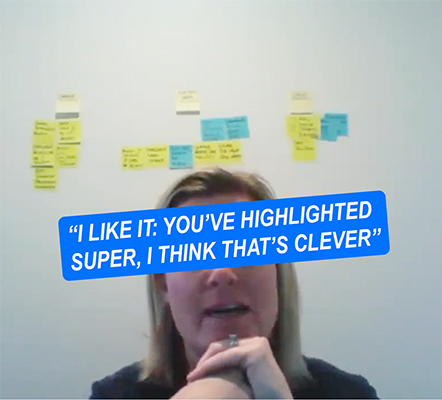
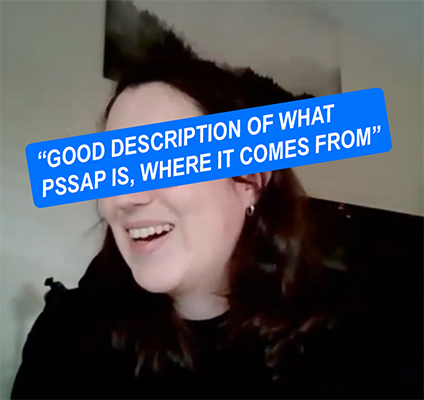
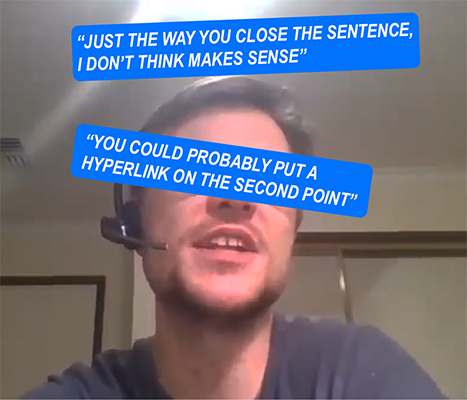
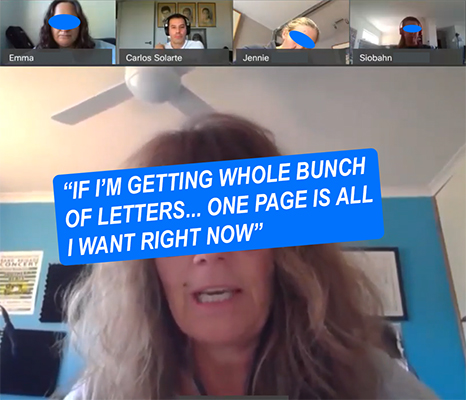
There were two iterations in this phase:
For the first testing: four users were asked to read each paragraph aloud and then proceed with a comment. The team improved the data by a series of open questions. This in order to collect qualitative data.
For the second usability test, the prototype was improved by presenting graphs and colour to four different users.
The team also prepared a questionnaire to further elaborate on data collection, data that was important for the project and also to clarify things that were missed in the first iteration.
Because of the pandemic, the team had to improvise the usability testing by conducting them through an online medium. The team tested it through Webex before going with internal staff first. And contentedly, we were able to do the same with external users.
The data collected (by note taking and video) in the testing phase proved to be of great value in a quantitative and qualitative manner. The feedback given by each user allowed the improvement of each prototype iteratively.
Quantitative: Number of attempts at reading a sentence/paragraph before they understood it - helped the team understand if the sentence was worded badly, too clunky, complicated, uninteresting, etc. The time taken by users to read the prototype could lead to boredom or dismissive responses.
Qualitative: Through observation as well as the requirement for users to ‘think out loud’, the team was able to collect data about the ‘why’ and ‘how’. Users’ commentaries helped to better understand what was working, what was not and gather suggestions to improve the prototypes.
The design process taken for the Letter of Offer was conducted mainly with the users. After analysing the user questionnaires and the employers workshop’s data, CSC users helped in the creation of personas, user flows, user journey mapping and prototypes.
The prototypes were not only tested with internal users but with external users as well.
Due to the fact that this process was made with real users, the data collected through the different processes was as accurate as possible, this in order to understand where users are coming from.
As the first high fidelity product goes live, it’s important that the business facilitates a way to collect further feedback from users, so the product can be improved accordingly.
Due to time constraints, the letter of offer was ‘produced’ without a graph which some stakeholders consider important to represent the value that CSC can offer to users. There should be further testing if such a graph was to be included in it.
Note: As part of the recommendations, I also supplied a link to the folder where further information could be found, including the artefacts developed during this centred design process.
Subsequently: The insights collected through the process of this letter helped CSC in the development of other letters for different schemes like: